Showing posts with label immich. Show all posts

Thursday, 10 July 2025

Further adventures with Immich - external access

 Astute readers and users of this software will note that when self-hosting access is naturally limited to whatever you've got on your personal, home network. While this is great, I'd like to still back my photos up to Immich when I'm out and about.

I use Cloudflare tunnels for access to other handy bits of software like The Hive (for digital forensics) and BookShelf (for documents etc). So setting up a Cloudflare tunnel for Immich seems like an easy thing to do. Except of course when it comes to authentication. You do not want to implement a tunnel without authentication and I really prefer to use Zero Trust wherever possible. I am a child of the X-Files after all, so trusting no-one is par for the course.

I found an excellent guide to help by Thomas Wilde on Youtube here: https://www.youtube.com/watch?v=J4vVYFVWu5Q and this really got the party started. Configuring the service token and getting it into the Immich app is quite straightforward and Thomas explains it well.

I then changed the app to sync as soon as the phone is plugged into power and voila! It all works brilliantly. 

OK, so we've solved the external access trickiness, and that's great. Keeping up with the updates is a bit of a challenge - Immich is being *very* actively developed so there's frequent updates. I usually try to update the docker image about once a fortnight and that seems to be manageable cadence.

It's worked so well that I have now moved my wife and daughter's images across. My child takes many many photos so I'm working with her to understand that the crap ones really need to be deleted - I don't want gigabytes of crap everywhere.

And of course, I snapshot the server before upgrading via Proxmox and backup using my Proxmox backup server. A restore of my Immich server was quite successful after a poorly executed attempt to change some settings for another project - oops! Thankfully, it was quick and relatively straightforward to get back to where I was, with only 18 hours and no data lost.

I still recommend this excellent app - you will need to learn some docker and some general systems admin skills. I would not recommend opening it up to the world - and why would you when you can make use of Cloudflare tunnels, or failing that - Twingate which I discovered and have been playing a bit with - more on that later. Enjoy your computing!

Thursday, 7 November 2024

Adventures with Immich

With the implementation of my Proxmox server it's now time to play with some new applications - and we'll start with Immich, a replacement for Google Photos. What is Immich according to their website: 


You can find the delightfully comprehensive website at https://immich.app/ 

Now a quick note of care - Immich's website states that you should not use this as the only way to store your photos and videos - it's under *active* development and does occasionally break stuff. So with that in mind, let's get into it and have a play.

To implement Immich in my environment I definitely had some options to explore. I could install it using Docker, the All-In-One Community installation, TrueNAS (oh I don't have that yet) or Unraid (dang I don't have that either). I decided to go with the Portainer installation - that would give me a nice interface via the Portainer container management, and some stats and stuff later on. Installing Portainer means that I can't use a Proxmox container - it's not recommended, and I was keen to not screw this up. So here's the quick and nasty installation activity:

Before I set up Immich I noticed that my install of Ubuntu Server hadn't used the entirety of the 500GB disk. So I found this handy command to fix it:

lvextend -l +100%FREE -r /dev/mapper/ubuntu--vg-ubuntu--lv

Right, now we'll get onto the installation of Immich and get into it here: https://immich.app/docs/install/portainer 

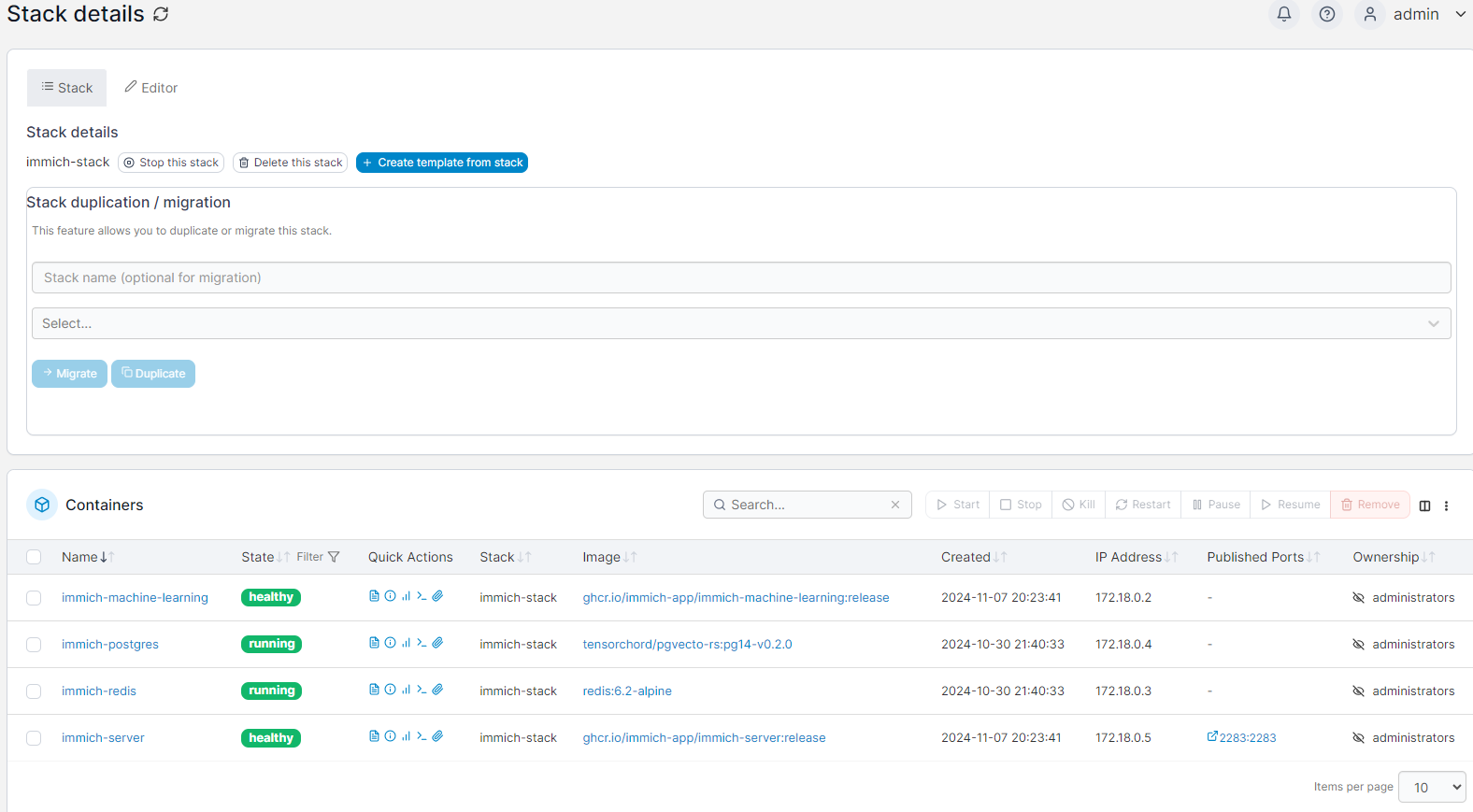
The long and short is, set up a Stack so that all the Immich bits and pieces sit under it and then off we go. The guide is quite good so follow it and there are plenty of resources. The stack ends up looking like this: 


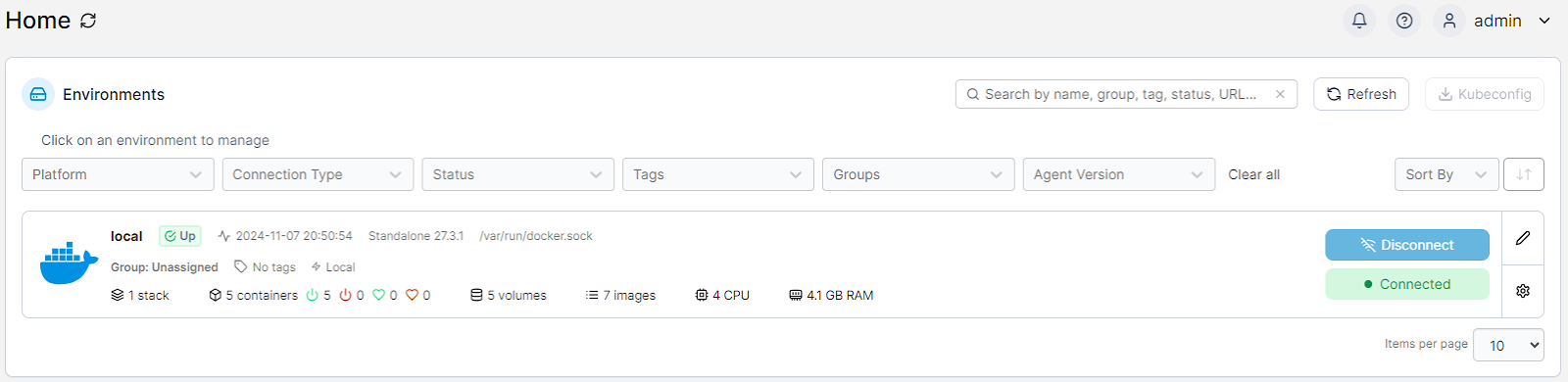
From the Portainer home page it looks like this:


Happily it's all running. Now here's the thing - this is the third time I've tried to get Immich to work and previously it was busted and wouldn't work properly - no access to the website and it appeared that the immich-server component wouldn't launch properly. I think that there was an issue with the database server not running properly with a previous version of the docker image. This time around, it all worked as advertised and it's running better. 

So now we're onto the use of the system and here's where I got really impressed. On the initial upload of photos it started to pick out faces, locations and organise things neatly according to the age of the photo. It here I discovered some of the photos had a wildly inaccurate timeframe assigned to them. Bugger - this means I've gotta manually fix things up, but it was pulling the images in, working through the metadata and putting it together into a nice timeline.

Here's the impressive part, there's a mix of photos of my kids that I uploaded started with my child almost at birth and all the way through to 13 - and the machine intelligence detected her face correctly the whole way through to now! From a cute little squishy baby face to the perpetually annoyed teenage face Immich got it right nearly every time on the full frontal face images. Really impressive stuff.

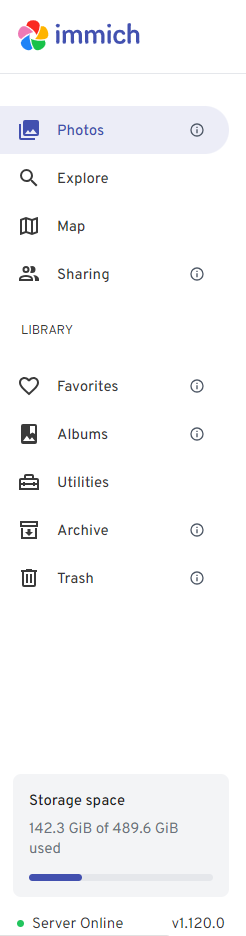
Here's a little snip of what my system looks like (hiding most of the evidence): 


The menu is nice, easy to manage and gives you all the stats. I'm still building this system out, but here's a few things I've found:
  • uploading photos to the system was easy - via the file upload, and you can do bulk but not folders
  • uploading photos is VERY CPU intensive - I had the 4vCPU's maxed out during the upload and for a while afterwards as the system processed - it was cracking along and the server's fans were making a real racket.
  • it's much better to do the upload via ethernet than Wi-Fi - it's quicker (on my network anyway)
Once I finished the upload from our computers and other servers in the house, I installed the app on my phone (the Pixel 7 Pro) and started the upload. There was a difference in the experience - the upload from the computer detected and skipped duplicates while the phone upload did not and I had to do this manually (over 600 dang it). Happily now, I've got a backup of my phone (although it's definitely still not recommended to only have the two copies - remember 3 is 2 and 2 is 1 and 1 is none from a backup perspective. 

After a couple of days playing with Immich, and running an upgrade via Portainer, I'm delighted with it. What a great piece of open source software. Get around it if you're looking for a nice image management system. 

Omarchy - the new darling of the Linux world

 Omarchy is the buzzword at the moment, with it turning up on Network Chuck's YouTube channel. I came across it via DHH's blog post ...